VML Technologies Product Configurator
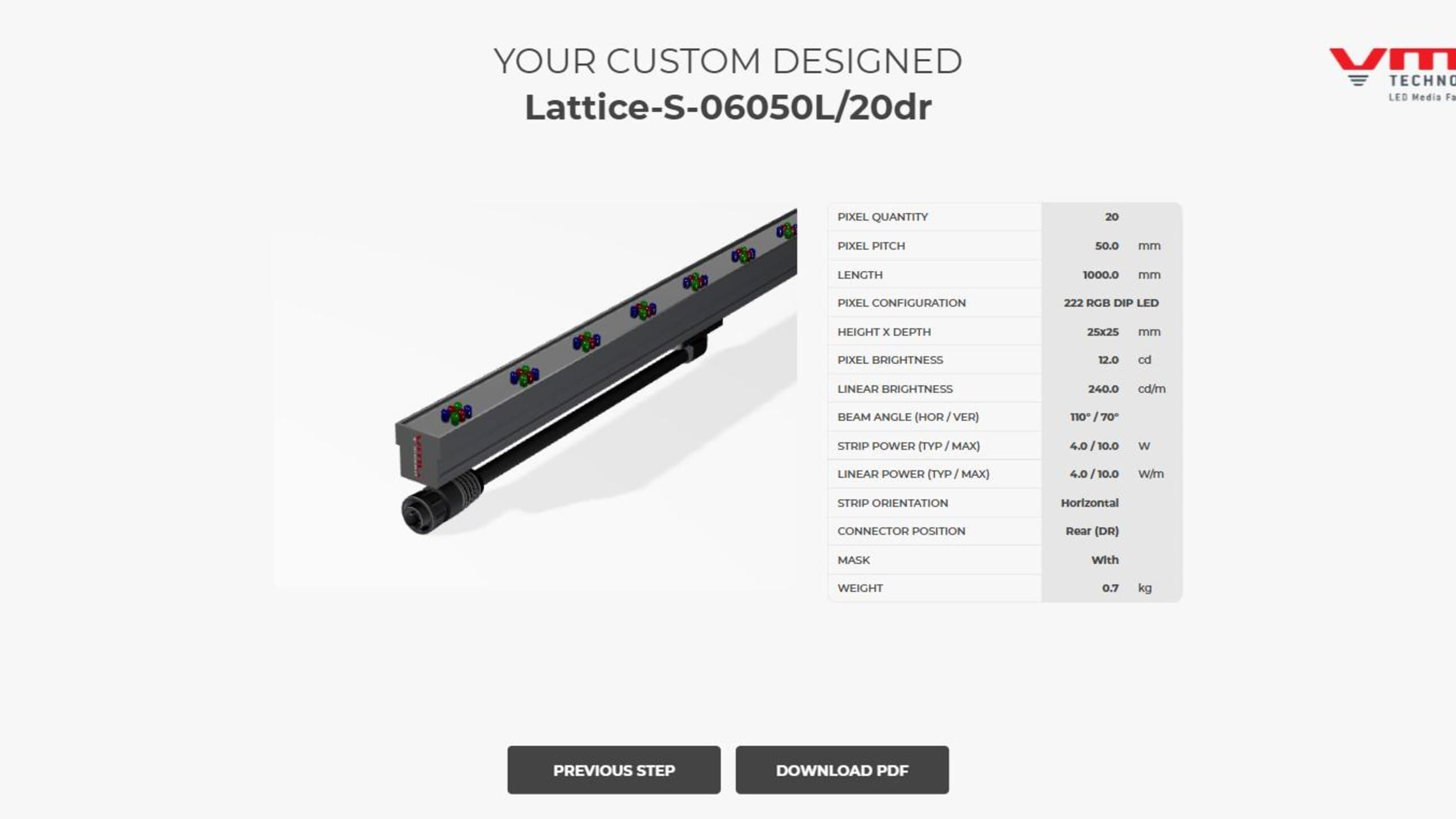
Real-time 3D product configurator and automated spec-sheet generator for VML Technologies' Lattice LED strip lighting.
01
The Brief
VML Technologies makes custom LED strips for large media facades, and every quote and spec sheet used to be made by hand. They wanted a web tool where their sales team, customers and architects pick a specification, see that exact product in 3D and download a matching spec sheet. Every value on that sheet had to match exactly what was selected.
02
My Approach
I modeled the parts in Blender, including the profiles, end caps, connectors and LED types. The PlayCanvas app assembles the exact strip from the customer's choices (pitch, LED type, orientation, connector side), instead of needing a separate model for every product code. A custom mirror reflection puts it on a reflective floor like their product photography, and a masking trick handles the optional lattice finish. The spec sheet PDF is filled in on the spot with the right dimensions, brightness, power and images. A colleague built the step-by-step wizard, and I did the 3D, the configurator, the PDF and the link between them.
Stills
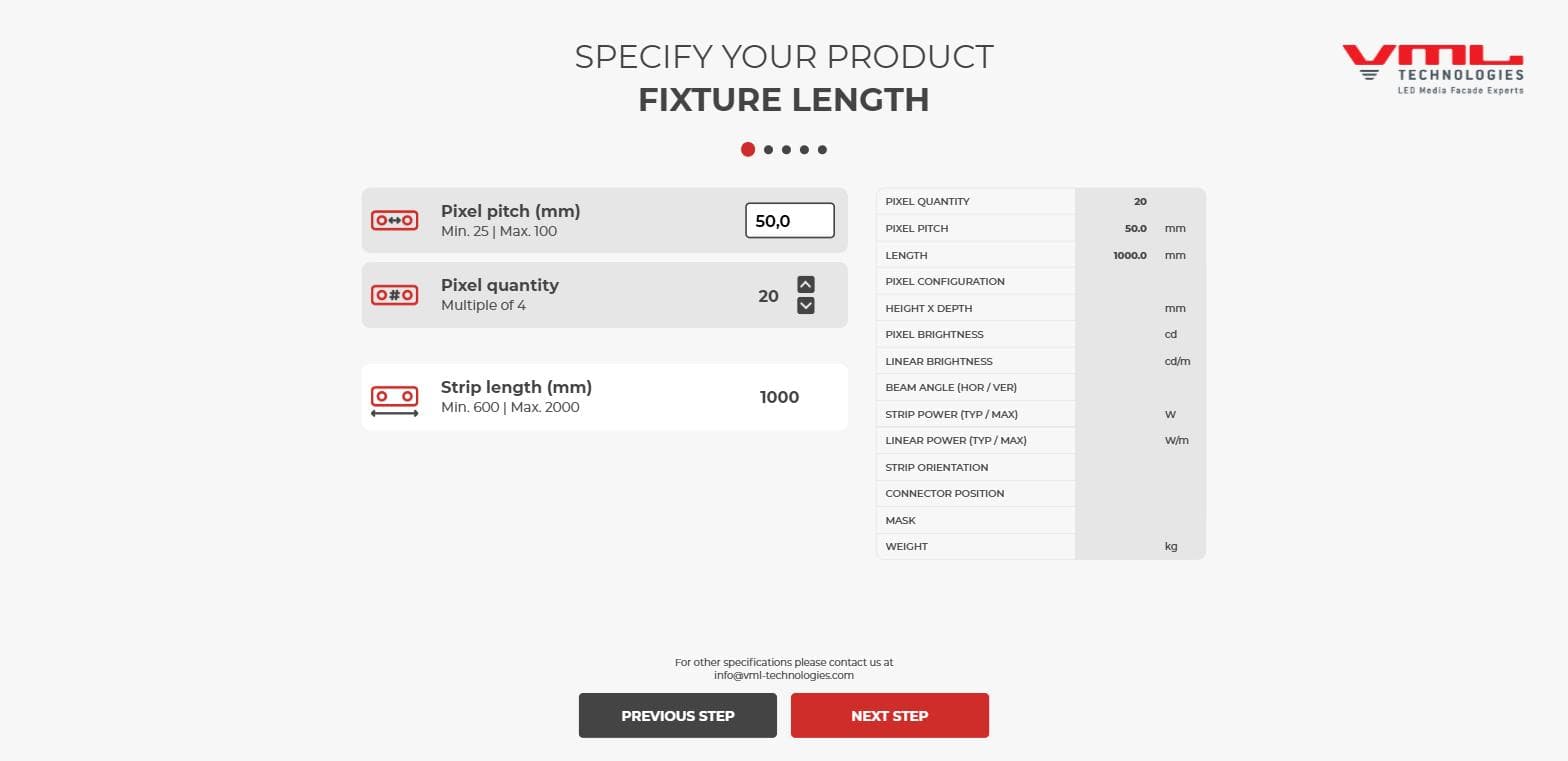
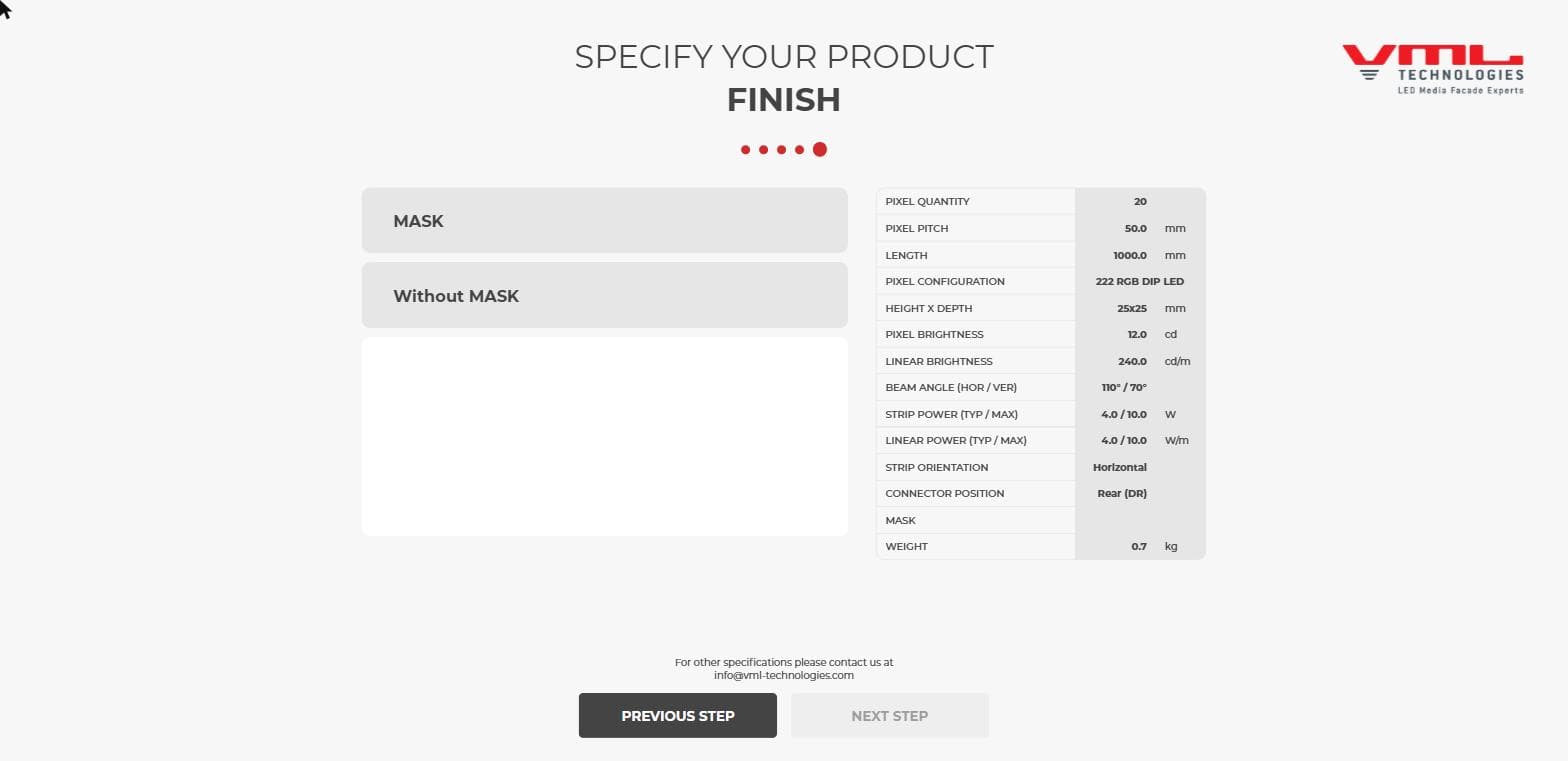
Setting pitch and length, with the spec table updating live.
03
The Result
The configurator is live on VML's website, where you build a strip step by step, watch it take shape in 3D and download its datasheet with the model number already filled in.
04
Outcome
VML's sales team, customers and architects use it actively. I'm happiest that one set of choices drives everything, so the 3D view, dimensions and spec sheet always stay in sync.

03 / About
Concept first, medium second
I'm Ramon, a multimedia designer based in Eindhoven. Projects start with a problem: what the thing has to do, and how someone should move through it. The answer has been a 360 film, a VR walkthrough, an explainer animation, a configurator and an AI training platform.
My part is 3D, design and code: modelling and lighting in Blender, interface and motion in XD/Illustrator and After Effects, plus the build in PlayCanvas or Next.js.